Settings & Notifications
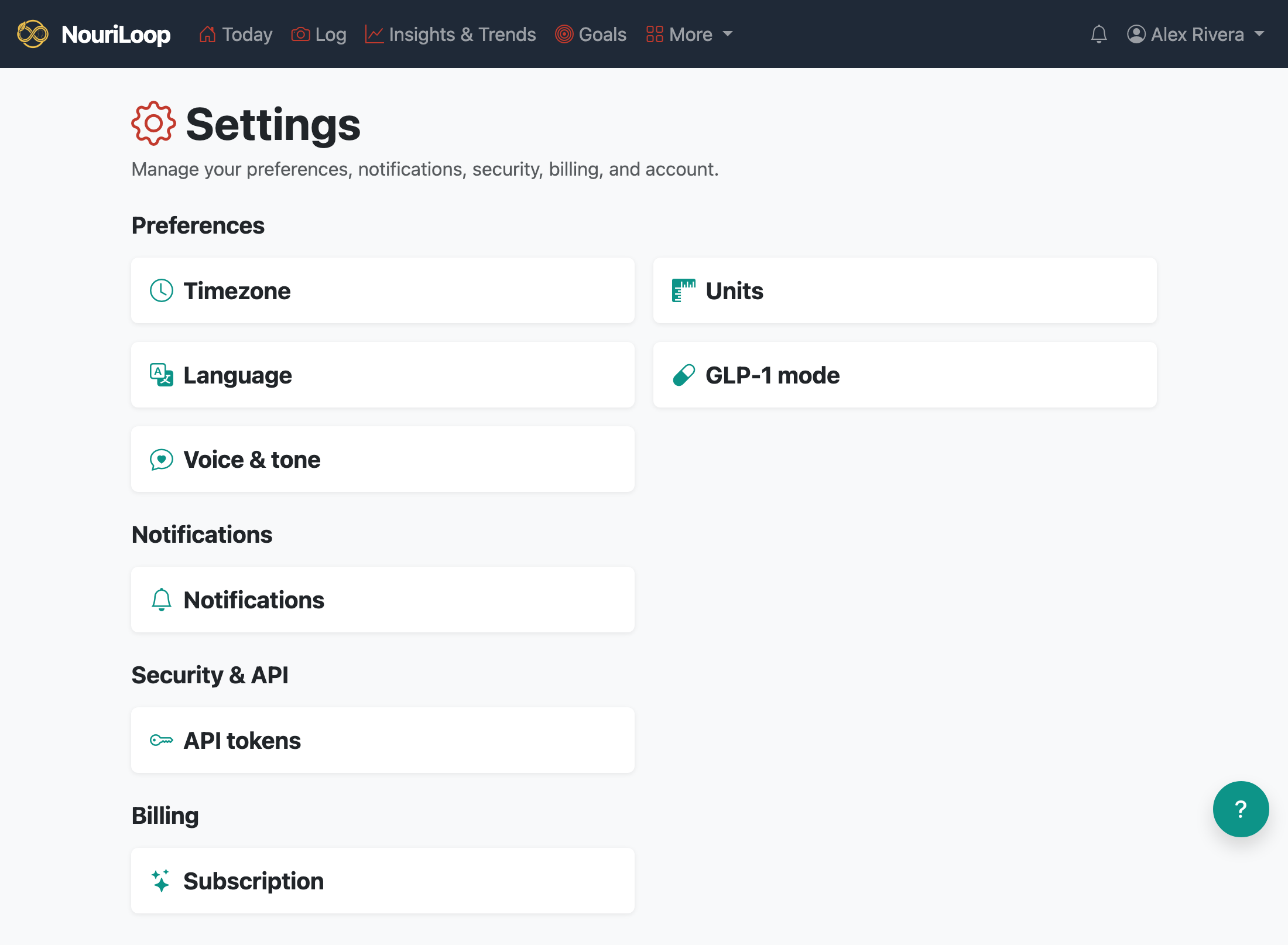
Settings is where you control how NouriLoop reaches you, how it displays your data, and how it sounds. Open it from the account menu (your name, top right) — everything lives on one hub page, grouped into a few cards.
Preferences
- Timezone — sets what counts as "today" for your dashboard and when your evening digest goes out. If your device's local time ever disagrees with this setting (say, after a move), NouriLoop shows a one-click banner offering to fix it.
- Units — metric or imperial: weight in kilograms or pounds, and blood glucose in mmol/L or mg/dL.
- Language — NouriLoop speaks six languages — English, Spanish, German, French, Russian, and Hindi — with regional options for English and Spanish. Your choice also applies to the reminder and check-in emails NouriLoop sends you.
- GLP-1 mode — an optional mode for people taking a GLP-1 medication: extra focus on protein, gentler portion guidance, and insights into possible nausea triggers.
- Voice & tone — three sliders that tune how NouriLoop's AI coaching notes sound, from strictly businesslike to warm and playful. Style only — the numbers and advice never change.
Notifications
NouriLoop can send you a daily digest covering things worth a glance — no meals logged, health data going stale, calories out of your usual range, or nutrient gaps. To receive them:
- Turn on the notice types you want (they're all off by default).
- Choose a delivery channel: Email, SMS, or Both.
- For text messages, add your phone number (in
+1…format) and tick the SMS consent box. Text-message delivery is part of the paid plans — the daily digest by text starts with Loop, and goal check-ins delivered by email or text come with Loop+.
Everything also appears in the in-app notification bell, on every plan. This page is also where you can bring back the "Get set up" checklist if you dismissed it before finishing.
API tokens
Create an API token to sync health data automatically from a script or an app like Health Auto Export. Each token is shown once when you create it, and you can revoke it anytime. See Importing Health Data and Connect Your CGM.
Subscription
See which plan you're on and what it includes. Upgrading takes you through a secure checkout; existing subscribers can update their payment method, switch plans, or cancel anytime through the Manage subscription button — access always continues to the end of the period you've paid for.
Account
- Start fresh — erases your logged data (meals, health readings, symptoms, goals) but keeps your account, settings, and subscription, so you can begin again with a clean slate.
- Delete my account — schedules your account and all its data for permanent deletion after a 30-day grace period. Any subscription is cancelled right away, and you can change your mind anytime during those 30 days with one click.
Related:
Still stuck? Browse all help topics.