Importing Health Data
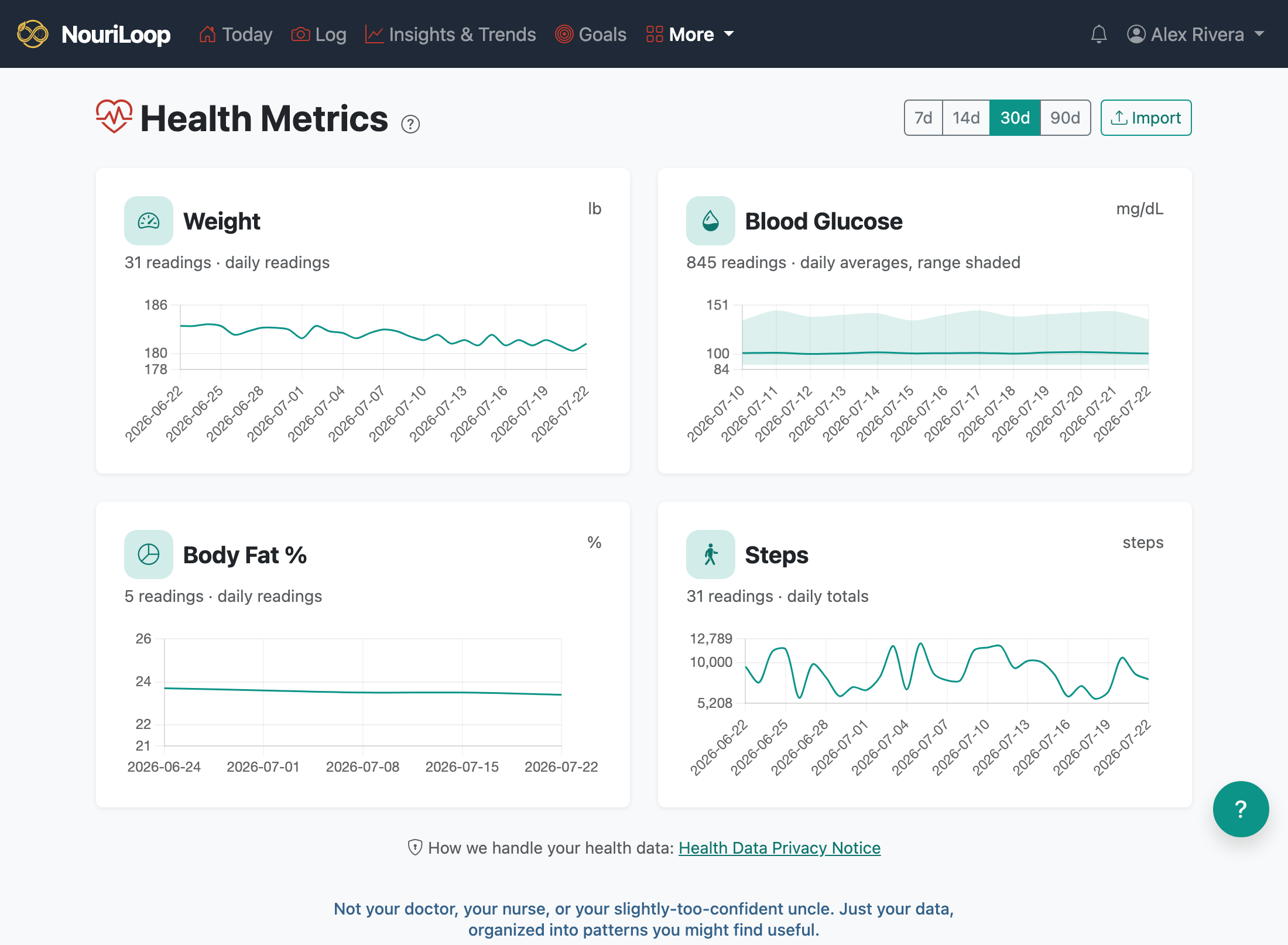
NouriLoop becomes much more useful when it can see your body's numbers alongside your food. You can bring in weight, blood glucose, blood pressure, heart rate, body fat, steps, and sleep.
Importing a file
- Go to Health Metrics → Import.
- Upload an Apple Health export, a health-export JSON, or a CSV. NouriLoop detects the format automatically.
Automatic syncing (recommended for large histories)
A full Apple Health export is too big to upload directly. For ongoing, hands-off syncing, create an API token in Settings and point an app like Health Auto Export at NouriLoop — it posts your readings on a schedule. See Settings →
Connecting a Lingo or Stelo glucose sensor? There's a dedicated walkthrough: Connect Your Lingo or Stelo.
Reading the page
Each metric gets a card with a trend chart. The sublabel tells you what the number is: daily totals for steps, daily averages (with a shaded range) for glucose, heart rate, and blood pressure, and daily readings for weight and body fat.
Your health data is handled carefully — see the Health Data Privacy Notice linked on the Health Metrics page.
Related:
Still stuck? Browse all help topics.